Installation Guide
First, ensure you have the following prerequisites installed:
Docker and Docker Compose
Python 3.9+ and `venv`
Git
Second, clone the repository:
git clone https://github.com/xtruhlar/5GDigitalTwin.git
cd 5GDigitalTwin/Implementation
To build docker images
cd ./open5gs/base
docker build -t docker_open5gs .

cd ../../ueransim
docker build -t docker_ueransim .

cd ..
To set the environment variables
cp .env.example .env

set -a
source .env
set +a
To run the project, navigate to Implementation/ and execute the following command
docker compose -f deploy-all.yaml up --build -d
To add subscribers to Open5GS core, run the following commands
docker exec -it mongo mkdir -p /data/backup
ocker cp ./open5gs/mongodb_backup/open5gs mongo:/data/backup/open5gs
docker exec -it mongo mongorestore --uri="mongodb://localhost:27017" --db open5gs /data/backup/open5gs
To ensure everything works properly, open http://localhost:9999/ in your browser and login using credentials:
Username: admin
Password: 1423
To connect UERANSIM gNB to Open5GS, run the following command
docker compose -f nr-gnb.yaml -p gnodeb up -d && docker container attach nr_gnb
To connect UERANSIM UE to Open5GS, run the following command
docker compose -f nr-ue.yaml -p ue up -d && docker container attach ue
Then go to Grafana, open http://localhost:3000/ in your browser and login using credentials:
Username: open5gs
Password: open5gs
Open menu on the left, click on Dashboards. Select Current state Dash and you can see the current state of your 5G network.
Example:
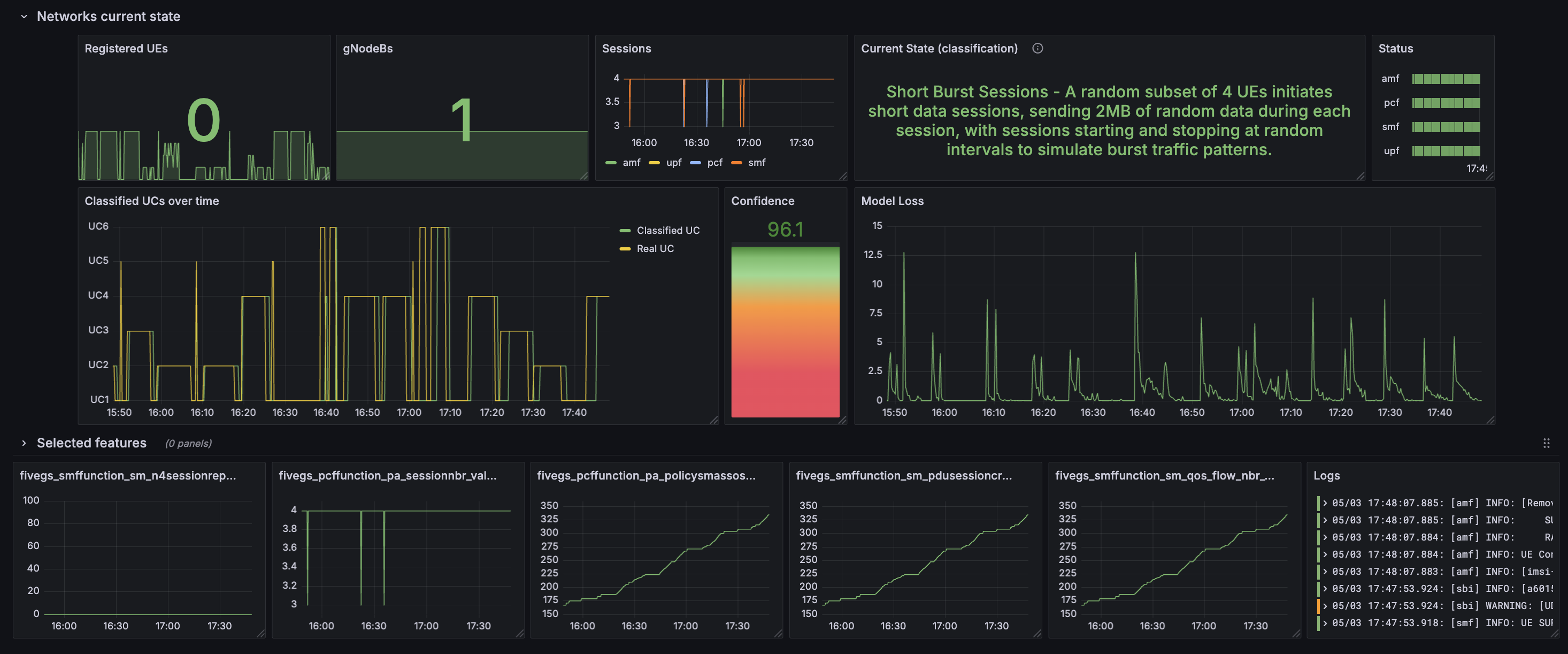
Grafana dashboard